 Termforge
Start when you're ready.
Explicitly start the 7-day Trial in the app. The seven days begin when Apple verifies the free trial acquisition, not at installation. Every feature is available for exactly 168 hours.
SSH / SFTP / iPhone
Your servers. Your familiar tools. A place to bring them together, with interactive SSH terminals, saved split panes, and remote files close at hand.
Free download. 7 days free. Full access. Pay once. No subscription.
€14.99
lifetime unlock; localized App Store prices elsewhere. No automatic charge.
For iPhone · iOS 17 or later
A reachable SSH server and valid credentials are
required.
Runs on your remote hostThe tools already on your server.
Organized on your phoneSaved servers, snippets, and layouts.
No Termforge accountConnect to servers you control.
01 / From connection to command
For developers, system administrators, and people who look after their own remote machines.
Save a hostname, port, and username. Choose password or Ed25519 key authentication. Your network must be able to reach the server.
dev.example.com : 22
Fictional example host
Compare the server fingerprint with a trusted source before approving it. Authenticate through the native prompt. A changed known host key blocks the connection.
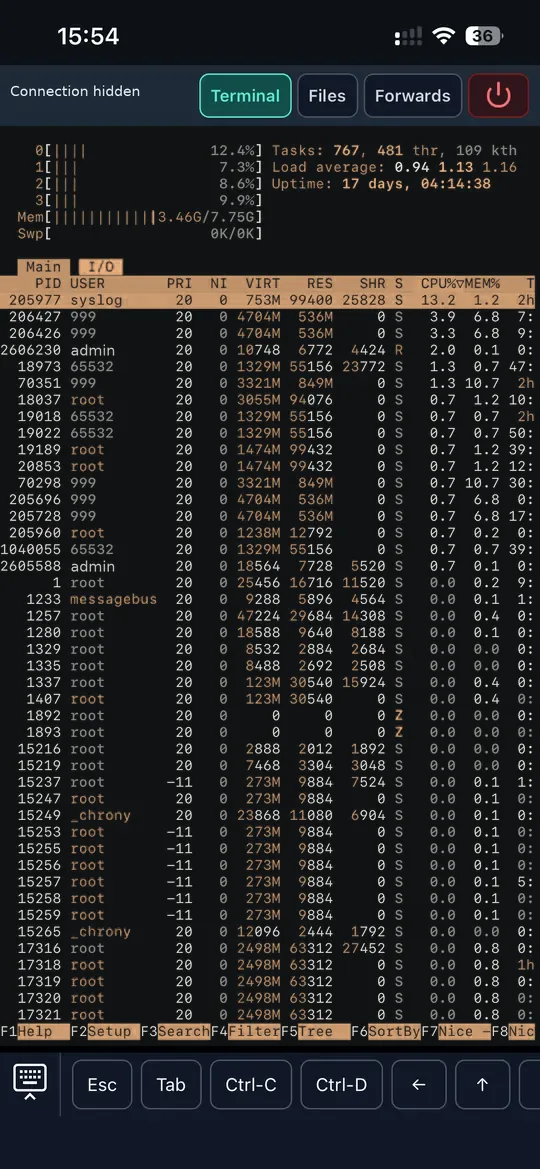
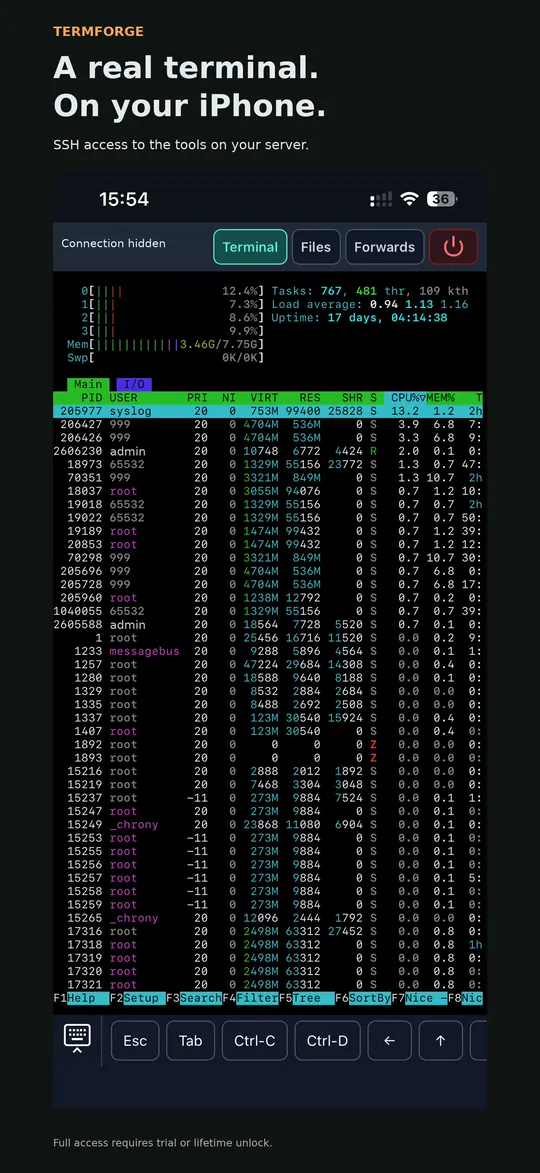
Inspect logs in a terminal, keep another pane for commands, and browse a remote directory through SFTP. The commands run on your server.
journalctl -u example.service
Illustrative remote command; requires a host with systemd.
One complete feature set
Download for free and start your seven-day trial when you’re ready. Keep full access with a one-time lifetime purchase.
Explicitly start the 7-day Trial in the app. The seven days begin when Apple verifies the free trial acquisition, not at installation. Every feature is available for exactly 168 hours.
Use the same full feature set during the trial and after unlocking. There is no subscription, automatic payment at expiry, or feature tier. You can buy lifetime access immediately without starting a trial.
€14.99 is the euro price. Other storefronts use Apple's localized pricing. The App Store purchase sheet supplies your applicable price. Lifetime is a non-expiring Termforge unlock, subject to Apple refunds and revocations.
Purchases happen inside the iPhone app through Apple. This website does not start trials or take payment. Perpetual OS support and unrelated future products are not promised.
Trial, expiration & purchase help →02 / Built around the work
Move between terminals, files, and connection details without losing your layout.
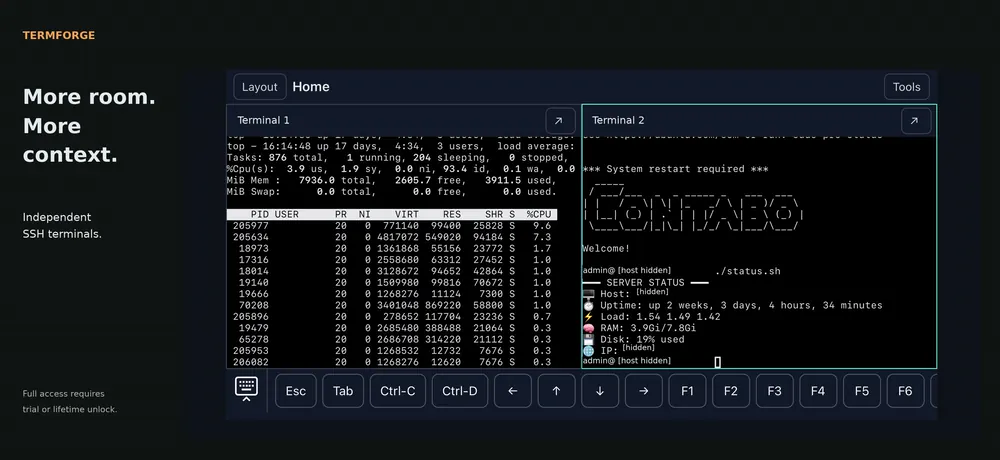
Use interactive SSH terminals for the tools installed on your host. Organize sessions with tabs and horizontal or vertical split panes; resize, focus, or zoom a pane as you work.
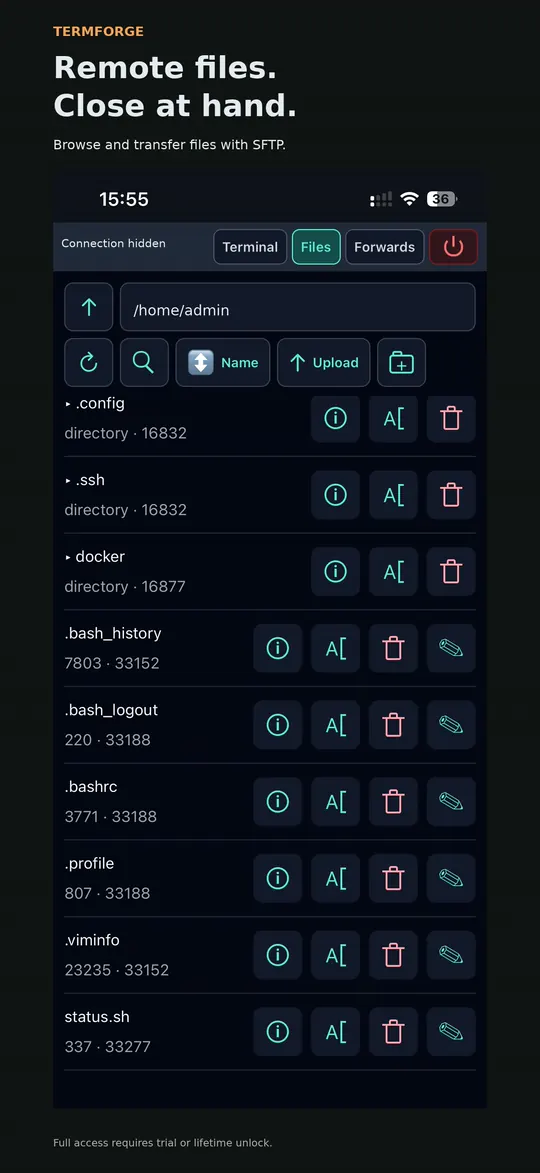
Browse, search, and sort remote directories. Upload a selected local file, download to Files, or make a small text edit without reaching for a laptop.
SFTP and permissions depend on your server. Interrupted transfers need a deliberate retry.
Keep Escape, Tab, arrows, modifiers, and function keys accessible. Save frequently used commands as snippets, then choose when to send them.
A text composer provides an alternative input path for composed Unicode.
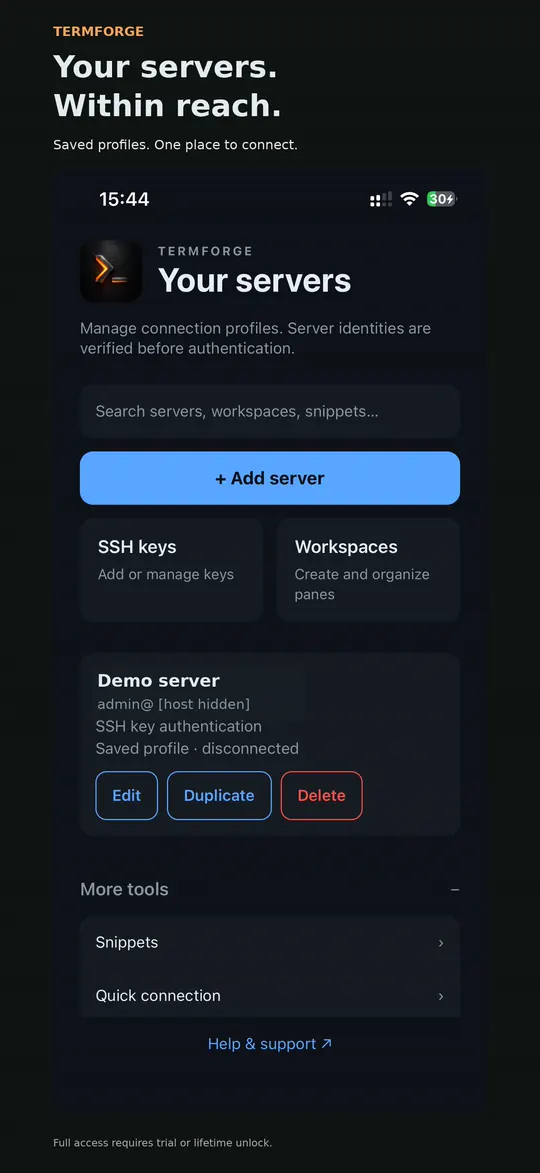
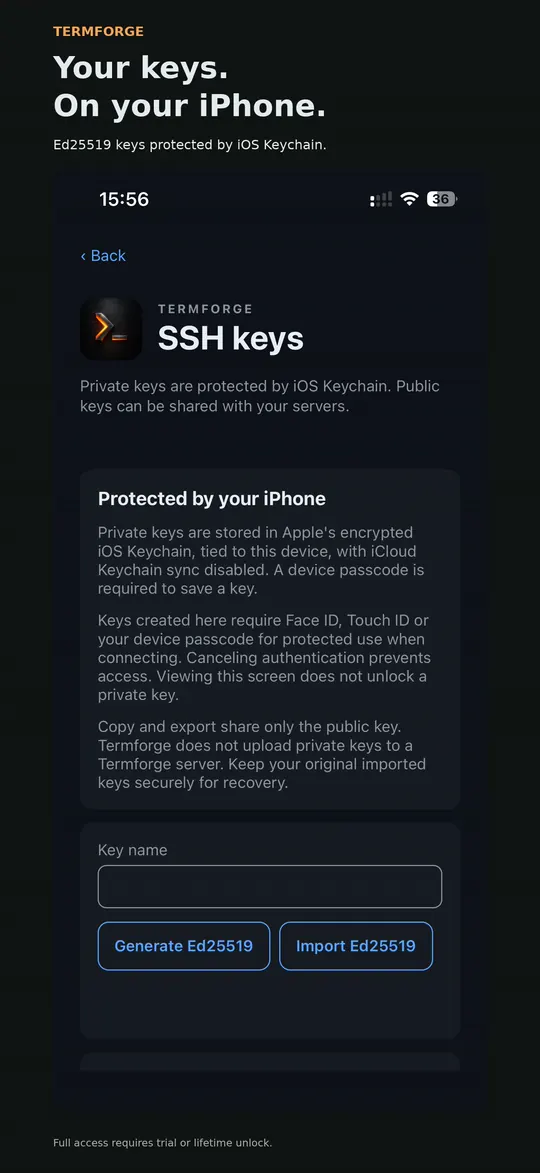
Keep server profiles and known-host fingerprints in one place. Generate or import Ed25519 keys, use encrypted OpenSSH Ed25519 imports, and copy or export public keys.
Local/remote TCP forwarding and a single password-authenticated bastion hop are implemented. SOCKS, agent/X11 forwarding, multiple hops, and key-authenticated bastions are unavailable.
A saved workspace is a saved arrangement. Backgrounding or idle lock closes connections. When you return, unlock and reconnect; live shells do not survive an app relaunch. A remote tool such as tmux may preserve work on the server independently.
03 / A short walkthrough
A short iPhone recording of terminal output, SFTP browsing, and two terminal panes.
The video plays only on request. For setup, follow the getting-started guide.
04 / A closer look
Real iPhone screenshots with promotional captions. Server identifiers are hidden.
05 / Privacy & control
No Termforge account, hosted server service, analytics, or cloud sync is configured in the current app.
Profiles, layouts, snippets, and connection-history metadata stay in local app storage. Private SSH keys use Keychain; passwords and key passphrases are not saved. Terminal transcripts are not persisted.
SSH and SFTP send commands and files to the servers you select. Their operators can log activity and have their own data practices.
This static site sets no cookies and includes no advertising, analytics, remote fonts, or third-party embeds. Cloudflare and hosting infrastructure process request information as described in the privacy policy.
Verify host fingerprints through a trusted source before connecting, and protect your iPhone with a device passcode. See the privacy policy for storage and data-handling details.
Read the privacy policy →06 / Before you connect
Yes. You need a reachable SSH server that you are authorized to use, plus a valid username and supported credentials. Termforge does not provide a hosted server or an app account.
On the remote host over SSH. Termforge provides the terminal interface on iPhone; it is not a local Linux environment. Tools such as vim, htop, or tmux must be installed on the host.
Termforge is designed for iPhone running iOS 17 or later. Apple also lists compatibility with Apple silicon Macs running macOS 12 or later, but marks the app as not verified for macOS. There is no dedicated iPad, Android, or browser version. This website can be read on other devices.
Both passwords and Ed25519 keys are supported, including supported encrypted OpenSSH Ed25519 imports. Stored credentials require a device passcode; protected key use requests device authentication. RSA/ECDSA private-key authentication and keyboard-interactive/MFA are unavailable. Private-key export and adding passphrase encryption to generated keys are unavailable.
Its saved layout, pane titles, server assignments, and tab order. It opens disconnected; it does not restore a live process, terminal transcript, or SSH connection.
No. Background or idle lock closes sessions and stops transfers and forwarding. Return, unlock, and reconnect to continue. Network loss may also disconnect you. Unsent input and commands are not replayed automatically; use server-side tmux if you need work to persist remotely.
Yes, through SFTP if your server supports it and your account has permission. Transfers are bounded to 256 MiB per file. The lightweight editor handles UTF-8 text up to 2 MiB and asks you to resolve conflicting changes. Downloads can be exported to Files.
Yes. Termforge is available for iPhone on the App Store. Download for free, explicitly start a seven-day full-feature trial, then unlock lifetime access for €14.99 once. No subscription or automatic charge; you can also buy lifetime access immediately. Other storefronts use Apple’s localized pricing, shown before you confirm a purchase.
The original verified acquisition of Apple's free 7-day Trial starts exactly 168 hours of full access. A canceled or pending transaction does not start it. Reinstalling, restoring, or moving to a new device under the same App Store account does not restart the trial; it restores the original acquisition date. Termforge does not provide cross-account recovery or promise Family Sharing.
New and active remote work stops: SSH connections and reconnects, command execution from snippets, SFTP operations and transfers, forwarding, and jump-host routes. Active work is interrupted; transfers may be partial, and closing SSH does not guarantee remote processes are killed. Saved hosts, keys, settings, and local drafts are kept. Safe local recovery, copy/export, data deletion, support and purchase/restore remain available under existing device authentication.
Choose Restore Purchases in Welcome, Access or Settings, using the original App Store account. StoreKit's locally available verified lifetime entitlement works offline; a price-catalog failure alone does not remove access. A verified offline trial still expires at its original boundary. If a fresh install has no verifiable transaction state, connect and restore. Apple refunds or revocations remove the paid unlock when reported; an independently valid trial can still apply. Purchase troubleshooting.
Start with the support guide for connection, key, host-trust, and file-transfer issues. For support or private security reports, email [email protected].
Your next remote task
Free to download. 7 days free with full access. Then €14.99 once for lifetime access, with localized pricing elsewhere. No subscription or automatic charge.
Download Termforge for iPhone and bring your SSH terminals, saved workspaces, and remote files with you.
The app is free to download. Start the seven-day trial or buy lifetime access inside the app. Apple handles purchases and displays your local unlock price.
For iPhone · Requires iOS 17 or later.